
If you’ve heard the buzz about the new Microsoft Learn connector in Copilot Chat, here’s how it can be useful for you as an admin, beyond just asking it basic, high-level questions.
The Microsoft Learn Connector is a federated connector built by Microsoft. Its whole job is to search real time official Microsoft docs and code samples.
What It Does
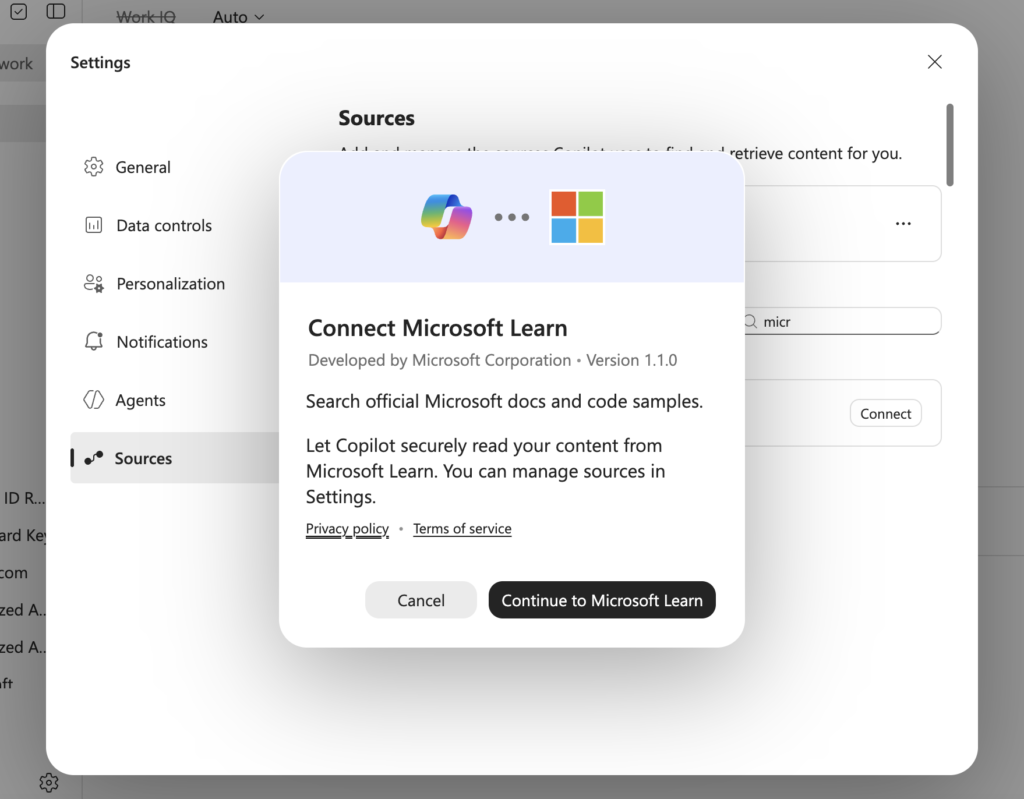
You’ll find it under Settings > Sources in Copilot Chat. Turn it on, and Copilot starts pulling answers straight from Microsoft’s own documentation instead of guessing based on training data or whatever it scraped from a random blog.
Like the other federated connectors, nothing gets copied into your tenant. Copilot queries Microsoft Learn live, right when you ask, so you’re getting the current version of the docs. Microsoft changes Copilot licensing, admin center menus, and governance policy constantly. An answer that’s grounded in the live docs beats an answer that was correct back in March.
An important caveat: It only shows you what’s already public on Microsoft Learn. No tenant data, nothing proprietary, just Microsoft’s own documentation, queried like a conversation.
Four Ways I’m Using The Copilot Learn Connector
- Licensing and SKU comparisons. I ask Copilot Chat to break down Microsoft 365 Copilot versus Copilot Chat (Basic), or what Copilot Premium includes. With the connector on, the answer comes straight from the Copilot Chat overview page instead of something a few releases behind.
- Admin center steps I don’t do often enough to memorize. Federated connector management is a good example. I don’t disable connectors at the tenant level every week, so I don’t remember the exact cmdlet. I ask Copilot: “How do I manage federated connector availability for my tenant?” and it walks through the real PowerShell from Microsoft’s connector management docs, not a half-remembered version from three tenants ago.
- Troubleshooting before I open a support ticket. A connector starts behaving unexpectedly and before I burn a Microsoft support case on it, I check whether it’s actually a bug or just documented behavior I forgot about. I ask Copilot Chat what the expected behavior is supposed to be and half the time that answers it without a ticket at all.
4. Pairing The Copilot Learn Connector With the SharePoint Admin Agent
I don’t use this connector alone. The SharePoint Admin Agent is a good example of what I pair it with, especially during data access governance work before a Copilot rollout.
Say I’m running a DAG review and the SharePoint Admin Agent flags a batch of over-permissioned sites. Before I remediate it, I turn to the Microsoft Learn connector and ask what Microsoft currently recommends for handling oversharing at scale, or whether the remediation steps have changed since the last time I did this. I’m not guessing based on a blog post from eight months ago or the way I handled it at my last company. I’m pairing what the SharePoint agent found in the tenant with what Microsoft currently says to do about it.
One agent finds the problem. I use the other to check what to do about it. That’s my actual workflow, not a built-in handoff between the two.
I talked about oversharing and governance insights with the SharePoint Admin Agent before at the MN M365 Spring Workshop Day, and this is the kind of pairing I kept wishing I had back then.
Why This Matters If You’re an Admin
With Copilot shipping new updates every week, this update is the most vital to lead your Copilot rollout. Copilot ships fast enough that “I read about this in March” isn’t something you want to say out loud anymore.
This connector also makes Copilot’s answers checkable. If a response is grounded in Microsoft Learn, I can point to the actual page it came from instead of just saying “trust me.” It also means fewer trips out of the conversation to go verify something on Learn myself.
If you run Copilot rollouts for your organization, this is a small update that saves real time. Next time you’re stuck on licensing, a rare cmdlet, or a misbehaving connector, ask Copilot Chat first.