The go-live party is over. The announcement went out. The licenses got assigned. Leadership gave the thumbs up. And now you’re sitting there wondering why half your org still uses Copilot like it’s a novelty and not the tool you just staked your credibility on.
Here’s the thing: the launch was the easy part. What comes after is where most organizations drop the ball, and it’s not because the technology isn’t good. It’s because nobody set up a system to actually sustain it.
Let’s talk about that system.
Start With the Copilot Dashboard in Viva Insights
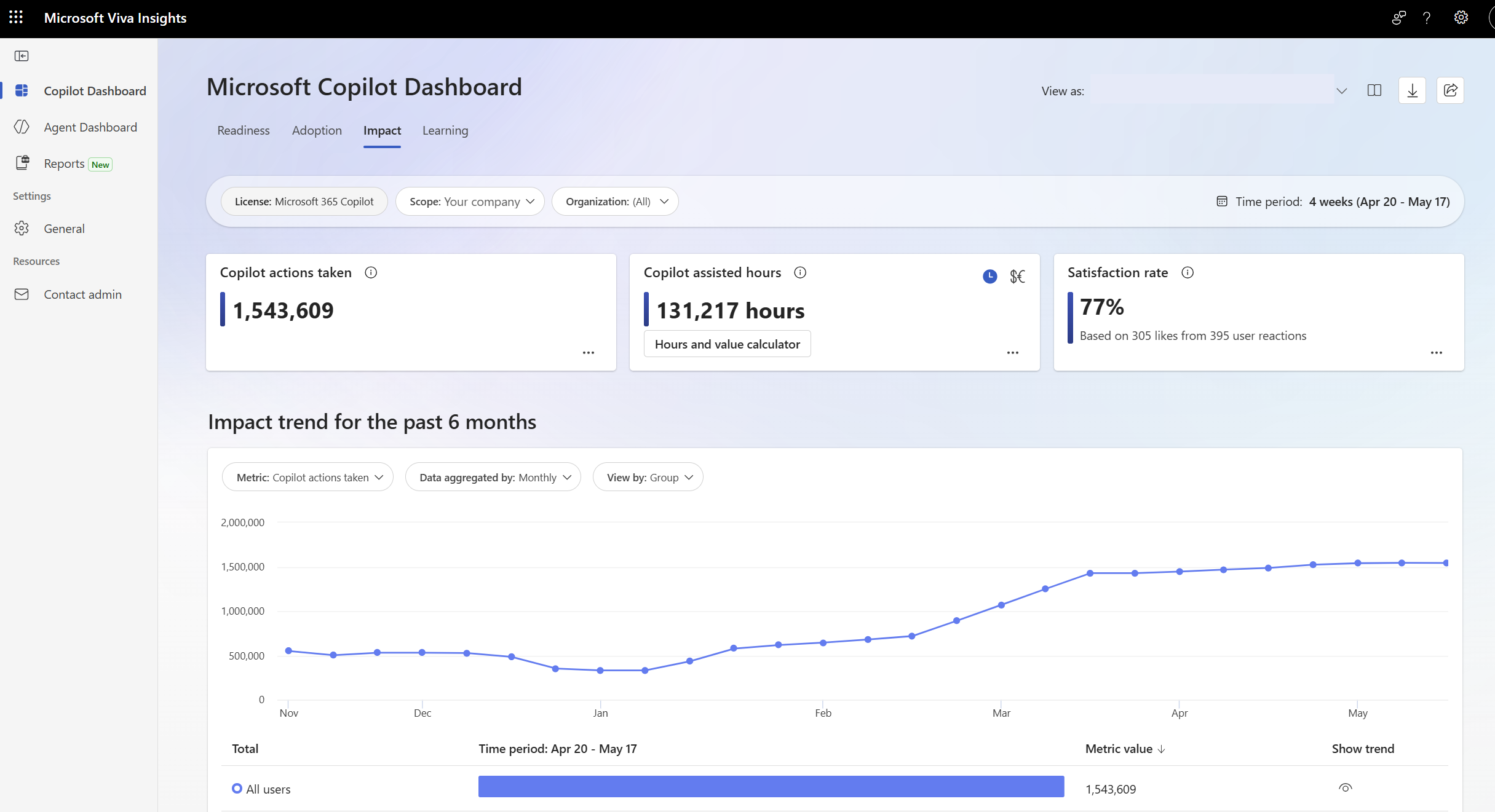
If you haven’t been in the Copilot Dashboard yet, go there today. This is your post-launch home base. It lives in the Viva Insights web app and it shows you exactly who is using Copilot, how often, in which apps, and whether any of it is actually moving the needle.
Once you have at least one Microsoft 365 Copilot license assigned, data processing kicks off automatically and no extra configuration is needed. Every employee with an assigned Copilot license is included in the measured population by default, unless an admin has set up an exclusion list. Data typically appears within seven days of license assignment, so if you’re staring at a blank dashboard right now, give it a minute.
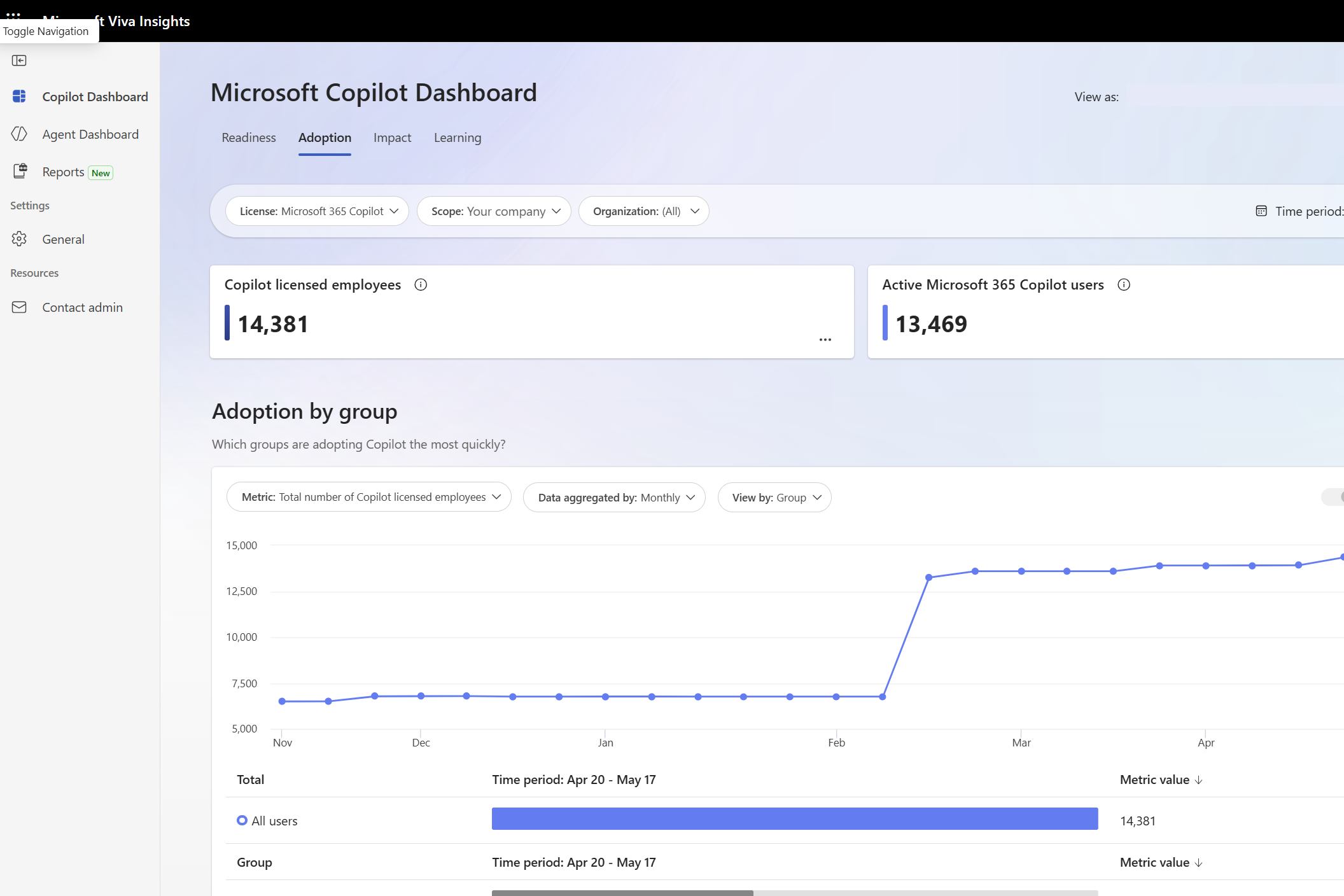
The dashboard breaks down into four areas you’ll care about: adoption (who’s using what and how consistently), impact (estimated time savings by app, from Teams to Outlook to Word), sentiment (qualitative feedback from users so you can catch friction before it becomes a pattern), and learning resources surfaced right inside the tool. There’s also a Benchmarks feature that’s genuinely useful: it lets you compare your usage internally across teams and departments, and externally against similar organizations using anonymized data. That external comparison alone can reframe a lot of leadership conversations.
The Dashboard Isn’t Going to Configure Itself.
Before any of this works, someone has to configure access. Here’s the short version of what that looks like.
Access to the Copilot Dashboard is managed through Viva Feature Access Management, or VFAM, inside the Microsoft 365 admin center. The old Copilot Dashboard toggle that used to live there? Gone. Everything runs through the Viva Insights web app control now, so if your team ever disabled the dashboard via PowerShell or the old control, that setting has been extended to the entire Viva Insights web app. Worth auditing if you’re starting fresh.
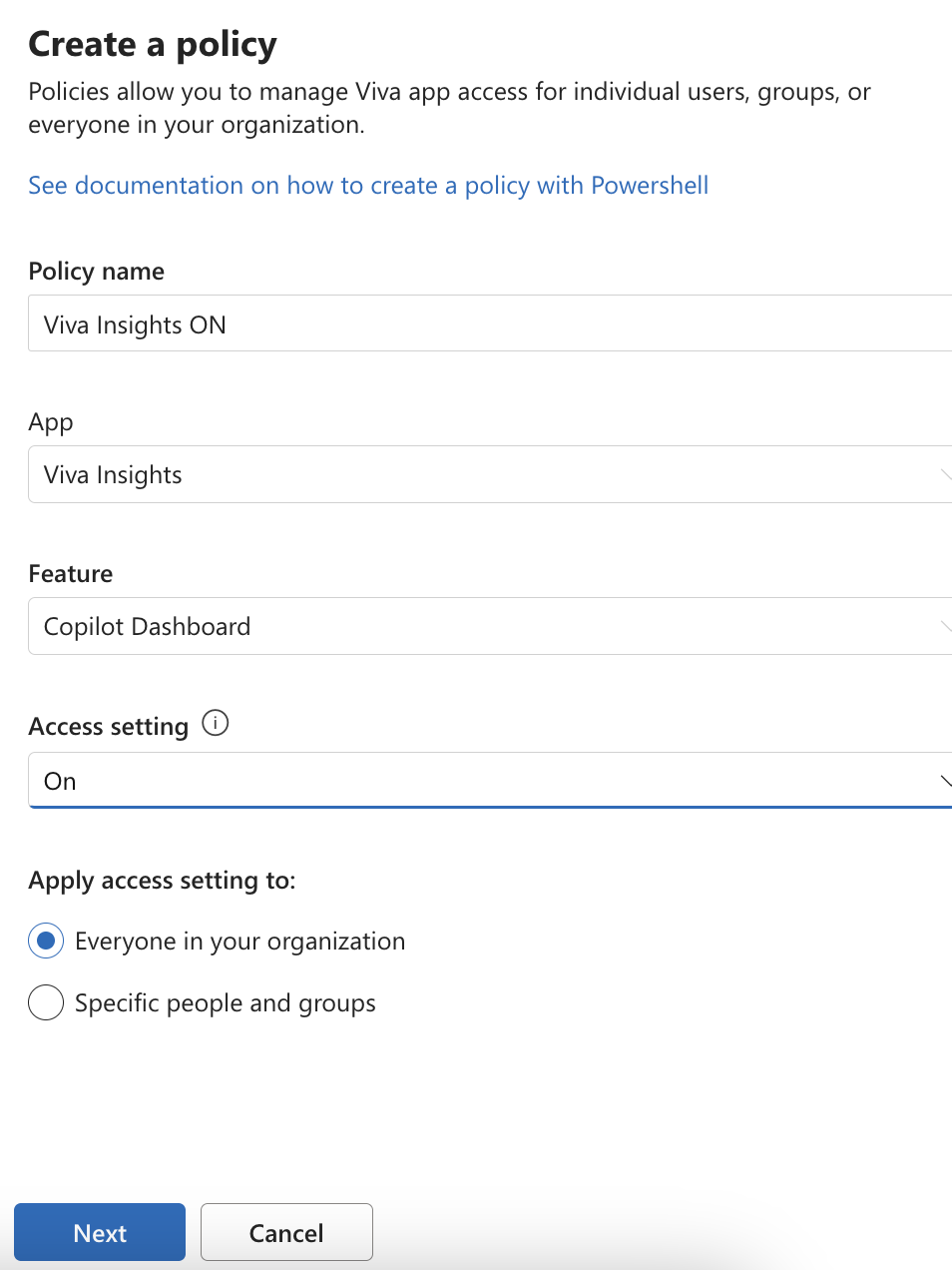
To turn it on, go to the Microsoft 365 admin center, navigate to Settings, then Microsoft Viva, then Viva Insights, and find the Set up and management tab. From there you can manage access settings for the Copilot Dashboard, create a policy, set it to On, and apply it to everyone or specific groups. Changes take effect within 24 hours.
As for which Entra roles you actually need:
For most organizations, the AI Administrator role is the right choice. It covers VFAM controls and user or group access without requiring Global Admin rights, keeping your permission model tight. Just remember to manually add the account to the dashboard after assignment, or you’ll wonder why you can’t see anything.
If you need to delegate dashboard visibility without handing over admin controls, the Insights Analyst role is built for exactly that. It gives full access to all advanced analysis and Viva Insights web app features, including the Copilot Dashboard and Copilot Analytics reports, but does not include administrator features. It’s a clean way to give your adoption team or department leads visibility into the data without expanding your admin footprint.
One more thing: the full dashboard experience, including Benchmarks and all the advanced filters, requires at least 50 assigned Microsoft 365 Copilot licenses or 50 Viva Insights licenses.
Once you’ve saved the policy, verify it worked by following this link: https://analysis.insights.cloud.microsoft/CopilotDashboard.
Full setup documentation lives at https://learn.microsoft.com/en-us/viva/insights/org-team-insights/copilot-dashboard.
Build a Training Cadence and Actually Stick to It
The dashboard shows you what’s happening. Training is how you change what happens next.
Quarterly update trainings are the minimum. Copilot ships new capabilities constantly and your users will fall behind fast if nobody is bringing them up to speed on a regular cadence. The structure I recommend: start with what’s new and curate it down to what’s actually relevant for your org (not every Microsoft feature applies to every team), then show your own dashboard data so the training feels connected to real usage and not just generic slides, then spend at least half the session doing hands-on practice in the actual apps. Passive learning does not build habits.
The Microsoft 365 Roadmap is your best source for what’s shipping, what’s in preview, and what’s coming next. Filter by Copilot to cut through the noise. Bookmark this and check it regularly: aka.ms/M365Roadmap.
Pro tip: Stay on top of it automatically by using Copilot’s schedule prompt feature to set a recurring reminder. Try this prompt:
“Check the Microsoft 365 Roadmap for new Copilot updates at https://www.microsoft.com/en-us/microsoft-365/roadmap#Now-available and summarize what’s new”
For self-paced learning, there are three resources worth keeping in your back pocket:
- Copilot Academy in Viva Learning is the most structured option. Learning paths are regularly updated and licensed users get monthly personalized notifications in Teams. Admins set it up under Manage Academies in the Viva Learning admin tab.
- The Copilot Skilling Center organizes learning by role, so whether you’re sending a department head or an IT pro, there’s a path that fits.
- The Copilot Success Kit has templates, scenario libraries, and email resources for running your program at scale. If you’re managing enablement across a large org, pull your materials from here instead of building everything from scratch.
Before Your Next Quarterly Training
Make sure these are checked off: the Copilot Dashboard is configured and your leadership and adoption team can access it, org data is uploaded or you’ve confirmed Entra ID attributes are sufficient, Copilot Academy is enabled in Viva Learning, you’re following the monthly updates at aka.ms/M365Roadmap, and your first quarterly update training is actually on the calendar with a date and an owner.
Launching Copilot was the starting line. The organizations that get real value out of it treat adoption like an ongoing program, not a one-time event. The dashboard gives you the data. The training cadence gives you the momentum. Put those two things together and you stop hearing “I don’t really use it” and start hearing something much better.
That’s when it gets fun.