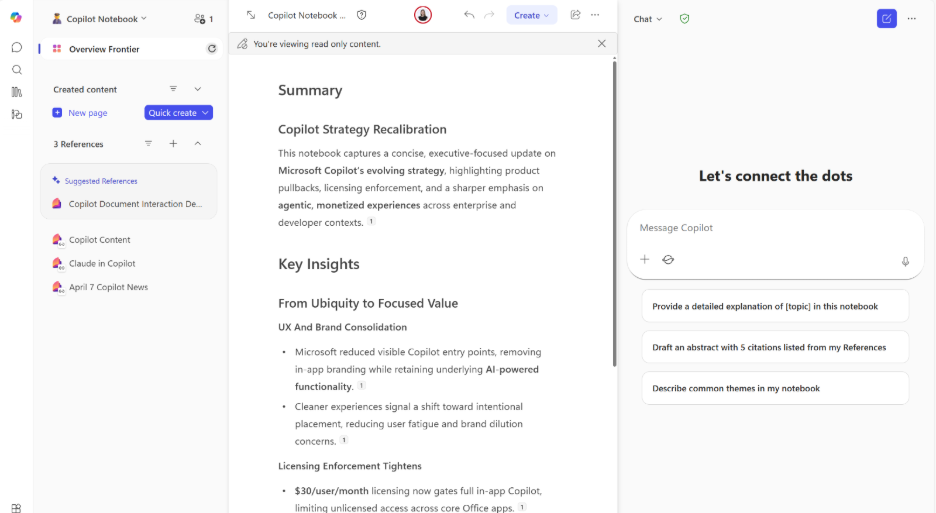
There’s no better time to bring Copilot Notebooks to the top of everyone’s feed than right now, especially with the rollout of Microsoft’s newest frontier Copilot features. Microsoft’s newest frontier Copilot features. Copilot Notebooks vs Copilot Chat is a question worth settling, because Notebooks are often misunderstood and underused, and that’s costing people a massive productivity win. Let’s fix that.
Copilot Notebooks are often misunderstood and underused, and that’s costing people a massive productivity win. Let’s fix that.
What Is a Copilot Notebook?
A Copilot Notebook is a shared workspace where Copilot remembers what you’re working on and uses that context every time you ask a question.
Instead of starting over with each new prompt, you:
- Put related files, notes, and ideas in one place
- Keep asking Copilot questions about the same body of work
- Let Copilot build on what it already knows
Think of it as persistent AI context.
An Easy Way to Think About It
Copilot Notebooks vs Copilot Chat comes down to this:
- Copilot Chat = asking a smart coworker a quick question
- Copilot Notebook = sitting down with that coworker, opening a folder, and working through the project together over time
Copilot Notebooks vs Copilot Chat: What’s Actually Different?
In regular chat:
- Context fades quickly
- You keep re‑explaining the same details
- Work is very one‑and‑done
In a Copilot Notebook:
- Copilot stays focused on a specific project or topic
- Context sticks
- Work evolves, improves, and compounds
This is where Copilot shifts from answering questions to actually helping you think.
What Do People Actually Use Copilot Notebooks For?
Users can use Copilot Notebooks to:
- Gather everything about a project in one place
- Think through complex or messy work
- Create drafts, summaries, presentations, or talking points based on shared context
- Collaborate with Copilot instead of just prompting it
This is especially powerful for work that isn’t linear: strategy, planning, analysis, enablement, change management.
Why the New Copilot Notebook Features Change Everything
Copilot Notebooks have evolved from a place to collect information into a place to visualize, organize, and make sense of it.
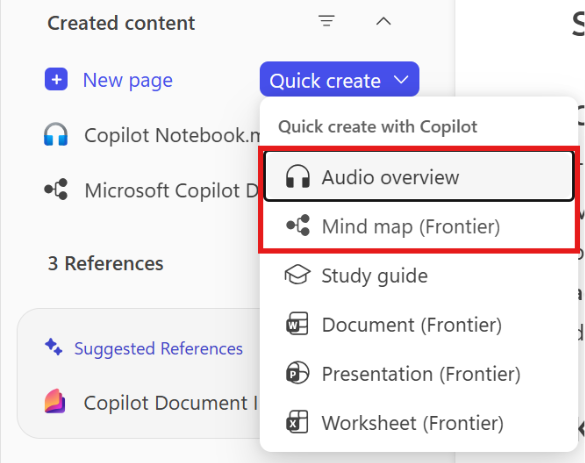
Two features stand out:
- Mind Maps
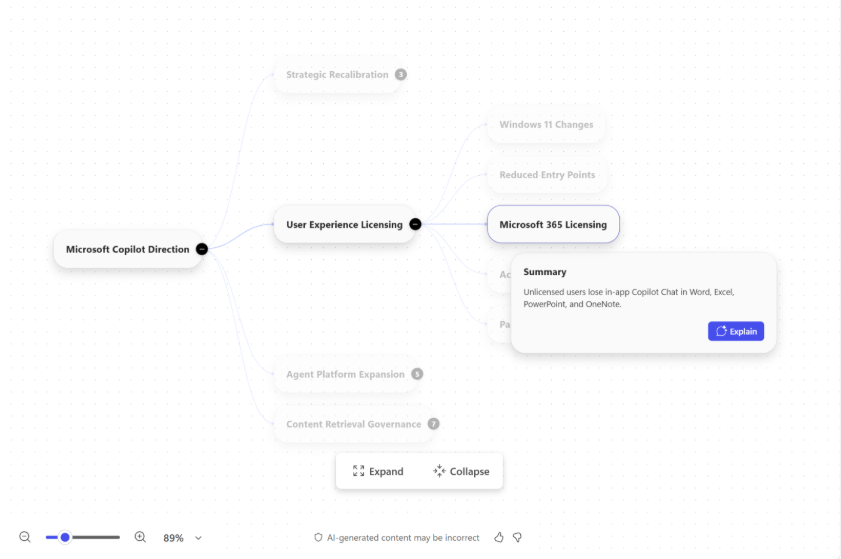
When you’ve spent weeks or even months dropping notes, files, ideas, and half‑formed thoughts into a Notebook, it’s easy to lose the bigger picture. Mind Maps step in and organize all of that scattered input into a clear visual structure you can actually work with.
Copilot sifts through everything you’ve compiled and lays it out in a way that helps you see:
- The main themes that keep showing up
- How ideas connect to each other
- Where things are getting overcrowded
What I love most is that this isn’t just something to look at but it’s something you can interact with. Once the ideas are mapped, you can ask very direct questions about specific topics without re‑explaining months of context. You go from “Where do I even start?” to “Let’s dig into this part.”
This is incredibly useful for:
- Planning and strategy sessions
- Exploring complex problems without feeling overwhelmed
Instead of staring at a blank page, you’re responding to something tangible. The thinking is already there; Mind Maps just help you see it clearly.
- Audio Overviews
The podcast lover in me loves being able to sit back, relax, and just listen to a recap of my passion project. No scrolling, no skimming, just press play. Audio Overviews turn everything in my Copilot Notebook into something I can consume the same way I would a favorite podcast episode.
What really makes this powerful is how intentional it can be. I’m not just getting a generic summary. I can tell Copilot how I want to catch up. Maybe I only care about what’s changed, what decisions were made, or what I need to know before my next meeting.
The Audio Overview is helpful on its own but the free‑form customization box is what makes it actually useful. This box is where you tell Copilot how you’re trying to catch up:
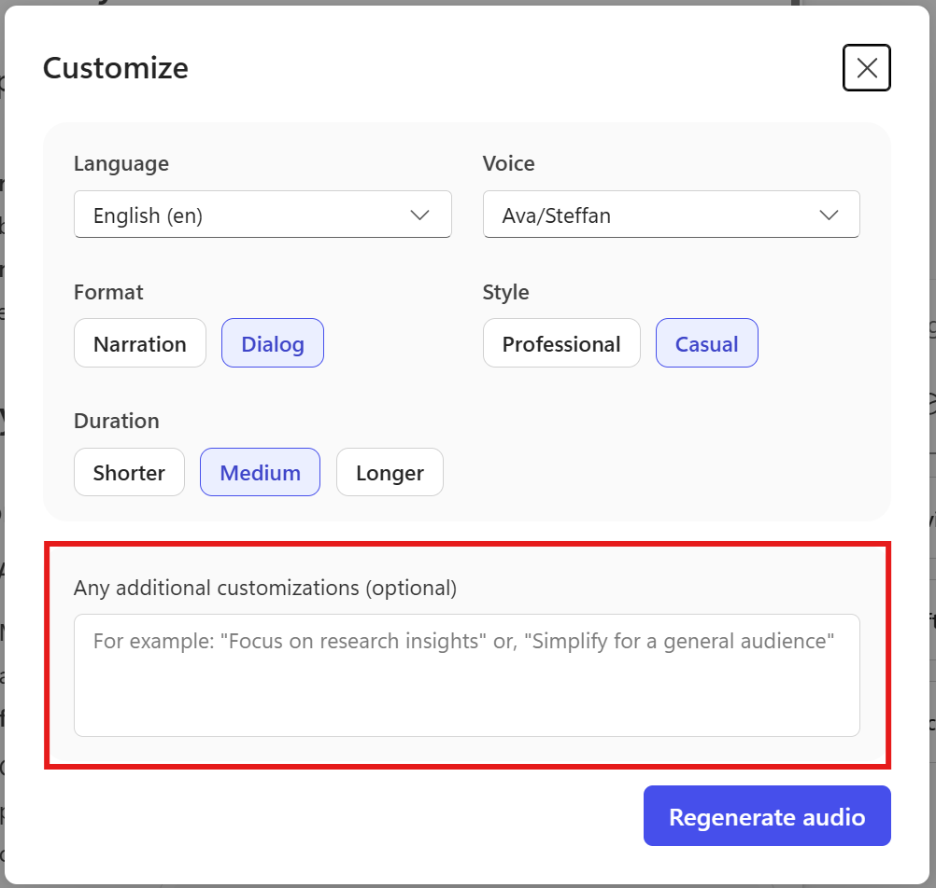
It feels less like “here’s a recap” and more like Copilot saying, “Here’s what you need to know right now.” Perfect for busy days, commuting, or anytime I want to stay connected to my work without staring at a screen.
Most knowledge workers don’t struggle with finding information.
They struggle with restarting.
Have you tried Copilot Notebooks yet?